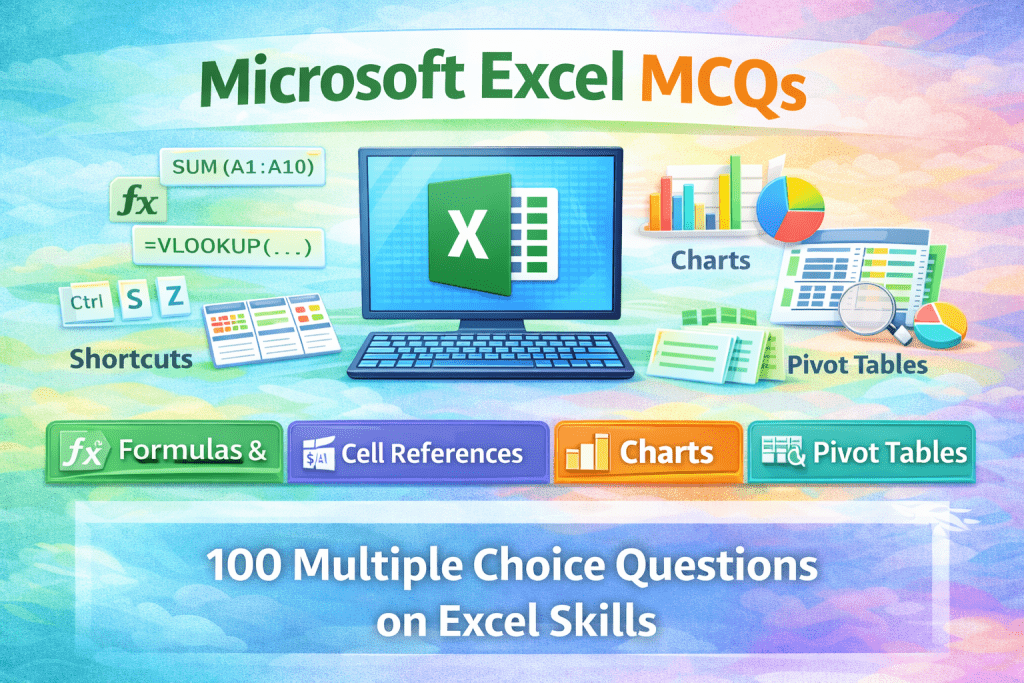
Practice 100 Microsoft Excel MCQs with answers covering formulas, functions, charts, cell references, shortcuts, and data analysis tools. Ideal for students and exam preparation.
Microsoft Excel is one of the most powerful and widely used spreadsheet applications for organizing, calculating, and analyzing data. This carefully designed set of 100 Microsoft Excel MCQs with answers covers essential topics such as Excel basics, formulas and functions, cell references, charts, data sorting and filtering, pivot tables, and shortcut keys. Created for students, beginners, office professionals, and competitive exam aspirants, these multiple choice questions are ideal for exam preparation, skill assessment, and quick revision, helping learners strengthen their practical knowledge and confidence in using Microsoft Excel effectively.
Here are 100 MCQs on Microsoft Excel, written in clear English, suitable for students, beginners, office users, and competitive exams. Each question includes four options and the correct answer.
Microsoft Excel – 100 MCQs with Answers
Basics of Microsoft Excel (1–20)
-
Microsoft Excel is a:
A. Word processing software
B. Spreadsheet software
C. Presentation software
D. Database software
Answer: B -
Microsoft Excel is developed by:
A. Apple
B. Google
C. Microsoft
D. IBM
Answer: C -
The default file extension of Excel 2016 and later is:
A. .xls
B. .xlsx
C. .csv
D. .docx
Answer: B -
Excel is mainly used for:
A. Drawing
B. Calculations and data analysis
C. Typing letters
D. Designing posters
Answer: B -
A spreadsheet is made up of:
A. Slides
B. Pages
C. Rows and columns
D. Charts
Answer: C -
The intersection of a row and column is called a:
A. Box
B. Field
C. Cell
D. Table
Answer: C -
Each cell in Excel has a unique:
A. Number
B. Name
C. Cell address
D. Value
Answer: C -
Which of the following is a valid cell address?
A. 1A
B. AA
C. A1
D. 11
Answer: C -
Rows in Excel are identified by:
A. Letters
B. Numbers
C. Symbols
D. Colors
Answer: B -
Columns in Excel are identified by:
A. Numbers
B. Symbols
C. Letters
D. Colors
Answer: C -
A worksheet is:
A. A complete Excel file
B. A single spreadsheet
C. A chart
D. A formula
Answer: B -
A workbook is:
A. One worksheet
B. Collection of worksheets
C. A chart
D. A cell
Answer: B -
By default, a new workbook contains:
A. One worksheet
B. Two worksheets
C. Three worksheets
D. Four worksheets
Answer: A -
Which key is used to edit a cell?
A. F1
B. F2
C. F5
D. F10
Answer: B -
Which shortcut key creates a new workbook?
A. Ctrl + S
B. Ctrl + O
C. Ctrl + N
D. Ctrl + P
Answer: C -
Which shortcut key saves a workbook?
A. Ctrl + A
B. Ctrl + S
C. Ctrl + C
D. Ctrl + V
Answer: B -
Which symbol is used to start a formula?
A. +
B. =
C. *
D. %
Answer: B -
Which option is used to open an existing file?
A. Ctrl + N
B. Ctrl + O
C. Ctrl + P
D. Ctrl + F
Answer: B -
Excel files are also called:
A. Documents
B. Workbooks
C. Slides
D. Records
Answer: B -
Which key deletes the contents of a selected cell?
A. Backspace
B. Delete
C. Esc
D. Enter
Answer: B
Formulas & Functions (21–50)
-
A formula in Excel always begins with:
A. +
B. #
C. =
D. @
Answer: C -
Which function is used to add values?
A. ADD()
B. SUM()
C. TOTAL()
D. PLUS()
Answer: B -
Which function calculates average?
A. MEAN()
B. AVG()
C. AVERAGE()
D. MID()
Answer: C -
Which function counts numeric values?
A. COUNT()
B. COUNTA()
C. COUNTIF()
D. TOTAL()
Answer: A -
COUNTA() is used to count:
A. Numbers only
B. Empty cells
C. Non-empty cells
D. Formulas only
Answer: C -
Which function finds the largest value?
A. LARGE()
B. MAX()
C. BIG()
D. TOP()
Answer: B -
Which function finds the smallest value?
A. SMALL()
B. MIN()
C. LOW()
D. LESS()
Answer: B -
Which function rounds a number?
A. ROUND()
B. FIX()
C. INT()
D. VALUE()
Answer: A -
Which function returns current date?
A. DATE()
B. NOW()
C. TODAY()
D. TIME()
Answer: C -
Which function returns current date and time?
A. TODAY()
B. DATE()
C. NOW()
D. CLOCK()
Answer: C -
Which function is used to combine text?
A. JOIN()
B. CONCAT()
C. MERGE()
D. TEXTJOIN()
Answer: B -
IF function is used for:
A. Calculations
B. Logical testing
C. Formatting
D. Printing
Answer: B -
Which function counts based on condition?
A. COUNT()
B. COUNTA()
C. COUNTIF()
D. SUM()
Answer: C -
SUMIF() is used to:
A. Count values
B. Add values with condition
C. Find average
D. Sort data
Answer: B -
Which symbol is used for absolute reference?
A. &
B. #
C. $
D. %
Answer: C -
$A$1 represents:
A. Relative reference
B. Mixed reference
C. Absolute reference
D. Cell value
Answer: C -
A1 is an example of:
A. Absolute reference
B. Relative reference
C. Mixed reference
D. Invalid reference
Answer: B -
Which error occurs when dividing by zero?
A. #VALUE!
B. #REF!
C. #DIV/0!
D. #NAME?
Answer: C -
Which function returns length of text?
A. SIZE()
B. LEN()
C. COUNT()
D. TEXT()
Answer: B -
Which function converts text to uppercase?
A. CAPITAL()
B. UPPER()
C. BIG()
D. LARGE()
Answer: B
Formatting, Charts & Data Tools (41–70)
-
Which tab is used for formatting cells?
A. Insert
B. Home
C. Data
D. Review
Answer: B -
Which option changes cell background color?
A. Font Color
B. Fill Color
C. Cell Border
D. Text Color
Answer: B -
Which alignment places text in the center?
A. Left
B. Right
C. Center
D. Justify
Answer: C -
Which feature automatically fills data?
A. Flash Fill
B. Auto Fill
C. Smart Fill
D. Quick Fill
Answer: B -
Which option merges multiple cells?
A. Merge & Center
B. Wrap Text
C. Align Center
D. Format Cells
Answer: A -
Which chart is best for comparison?
A. Pie chart
B. Line chart
C. Column chart
D. Area chart
Answer: C -
Which chart shows trends over time?
A. Pie
B. Line
C. Bar
D. Doughnut
Answer: B -
Which chart shows percentage distribution?
A. Column
B. Bar
C. Pie
D. Line
Answer: C -
Which tab is used to insert charts?
A. Home
B. Insert
C. Data
D. Review
Answer: B -
Which option sorts data?
A. Filter
B. Sort
C. Group
D. Format
Answer: B -
Which option hides unwanted data?
A. Sort
B. Filter
C. Freeze
D. Format
Answer: B -
Which feature keeps headings visible?
A. Freeze Panes
B. Split Cells
C. Wrap Text
D. Group
Answer: A -
Which tool removes duplicate data?
A. Sort
B. Filter
C. Remove Duplicates
D. Clean Data
Answer: C -
Which tab contains PivotTable?
A. Home
B. Insert
C. Data
D. Review
Answer: B -
PivotTable is used for:
A. Formatting
B. Data summarization
C. Printing
D. Drawing
Answer: B -
Conditional Formatting is used to:
A. Print data
B. Highlight cells based on rules
C. Protect data
D. Sort data
Answer: B -
Which feature adds borders to cells?
A. Font
B. Alignment
C. Borders
D. Styles
Answer: C -
Which option formats numbers?
A. Home → Number
B. Insert → Chart
C. Data → Sort
D. Review → Proofing
Answer: A -
Which format shows currency?
A. General
B. Number
C. Currency
D. Text
Answer: C -
Which feature rotates text?
A. Orientation
B. Alignment
C. Merge
D. Wrap
Answer: A
Advanced Features & Shortcuts (71–100)
-
Which shortcut selects all cells?
A. Ctrl + S
B. Ctrl + A
C. Ctrl + C
D. Ctrl + V
Answer: B -
Which shortcut copies data?
A. Ctrl + X
B. Ctrl + C
C. Ctrl + V
D. Ctrl + Z
Answer: B -
Which shortcut pastes data?
A. Ctrl + C
B. Ctrl + V
C. Ctrl + X
D. Ctrl + P
Answer: B -
Which shortcut cuts data?
A. Ctrl + X
B. Ctrl + C
C. Ctrl + V
D. Ctrl + A
Answer: A -
Which shortcut opens Find?
A. Ctrl + H
B. Ctrl + G
C. Ctrl + F
D. Ctrl + R
Answer: C -
Which shortcut opens Replace?
A. Ctrl + F
B. Ctrl + H
C. Ctrl + G
D. Ctrl + R
Answer: B -
Which shortcut inserts a new worksheet?
A. Shift + F11
B. Ctrl + N
C. Alt + F4
D. Ctrl + T
Answer: A -
Which shortcut edits the active cell?
A. F1
B. F2
C. F5
D. F12
Answer: B -
Which function is used to lookup data vertically?
A. HLOOKUP
B. LOOKUP
C. VLOOKUP
D. FIND
Answer: C -
Which function searches horizontally?
A. VLOOKUP
B. HLOOKUP
C. XLOOKUP
D. MATCH
Answer: B -
Which function replaces both VLOOKUP and HLOOKUP?
A. LOOKUP
B. FIND
C. XLOOKUP
D. SEARCH
Answer: C -
Which tab protects worksheets?
A. Home
B. Insert
C. Review
D. Data
Answer: C -
Which feature restricts data entry?
A. Filter
B. Data Validation
C. Conditional Format
D. Protect Sheet
Answer: B -
Which format stores plain text data?
A. .xlsx
B. .xls
C. .csv
D. .pdf
Answer: C -
Which feature automatically saves changes?
A. AutoSave
B. Save As
C. Backup
D. Export
Answer: A -
Which view shows page layout?
A. Normal
B. Page Break Preview
C. Page Layout
D. Custom View
Answer: C -
Which feature inserts comments?
A. Notes
B. Comments
C. Review
D. Track Changes
Answer: B -
Which function removes extra spaces?
A. CLEAN()
B. TRIM()
C. SPACE()
D. LEN()
Answer: B -
Which function converts text to lowercase?
A. LOWER()
B. SMALL()
C. MIN()
D. TEXT()
Answer: A -
Which function joins text with delimiter?
A. CONCAT()
B. JOIN()
C. TEXTJOIN()
D. MERGE()
Answer: C -
Which option inserts a table?
A. Home
B. Insert
C. Data
D. Review
Answer: B -
Which option converts range to table?
A. Insert Table
B. Format as Table
C. Create Table
D. Make Table
Answer: B -
Which feature tracks changes in Excel?
A. Track Changes
B. Share Workbook
C. Comments
D. Protect Sheet
Answer: B -
Which tool analyzes data quickly?
A. Solver
B. What-If Analysis
C. Scenario Manager
D. All of these
Answer: D -
Which option inserts sparklines?
A. Insert → Charts
B. Insert → Sparklines
C. Data → Charts
D. Review → Graph
Answer: B -
Which function checks logical condition?
A. IF()
B. AND()
C. OR()
D. All of these
Answer: D -
Which key exits Excel?
A. Ctrl + Q
B. Alt + F4
C. Ctrl + W
D. Esc
Answer: B -
Which feature recovers unsaved files?
A. AutoSave
B. AutoRecover
C. Backup
D. Save As
Answer: B -
Which function returns text from a cell?
A. TEXT()
B. VALUE()
C. CHAR()
D. CODE()
Answer: A -
Microsoft Excel is mainly used for:
A. Writing documents
B. Making presentations
C. Data calculation and analysis
D. Drawing images
Answer: C