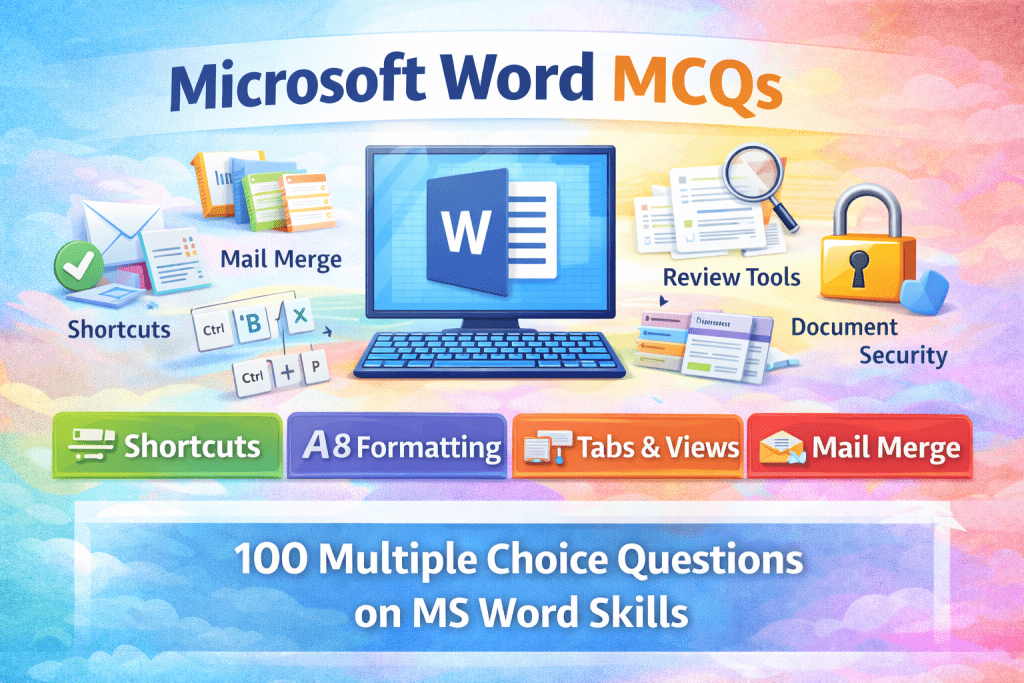
Practice 100 Microsoft Word MCQs with answers covering shortcuts, formatting, tabs, views, mail merge, and document tools. Ideal for students, beginners, and exam preparation.
Microsoft Word is one of the most widely used word processing applications, essential for creating, editing, and formatting professional documents. This comprehensive set of 100 Microsoft Word MCQs with answers covers key topics such as Word interface, shortcut keys, text formatting, page layout, tables, mail merge, review tools, and document security. Designed for students, beginners, and competitive exam aspirants, these multiple choice questions are ideal for exam preparation, computer skill assessments, and quick revision, helping learners build confidence and practical knowledge of Microsoft Word efficiently.
Here are 100 MCQs on Microsoft Word, written in clear English, suitable for students, beginners, and competitive exams. Each question has four options with the correct answer.
Microsoft Word – 100 MCQs with Answers
1. Microsoft Word is a type of:
A. Spreadsheet software
B. Presentation software
C. Word processing software
D. Database software
Answer: C
2. Microsoft Word is developed by:
A. Google
B. Apple
C. Microsoft
D. IBM
Answer: C
3. The default file extension of MS Word 2016 and later is:
A. .doc
B. .txt
C. .docx
D. .pdf
Answer: C
4. Which shortcut key is used to create a new document?
A. Ctrl + S
B. Ctrl + N
C. Ctrl + O
D. Ctrl + P
Answer: B
5. Which shortcut key is used to save a document?
A. Ctrl + A
B. Ctrl + C
C. Ctrl + S
D. Ctrl + V
Answer: C
6. Which key combination is used to print a document?
A. Ctrl + Z
B. Ctrl + P
C. Ctrl + X
D. Ctrl + F
Answer: B
7. The ruler in MS Word is used to:
A. Check spelling
B. Set margins and tabs
C. Insert pictures
D. Change font color
Answer: B
8. Which view shows the document as it will appear when printed?
A. Draft View
B. Web Layout
C. Print Layout
D. Outline View
Answer: C
9. Which tab contains font formatting options?
A. Insert
B. Layout
C. Home
D. Review
Answer: C
10. Bold, Italic, and Underline options are found in:
A. Clipboard group
B. Font group
C. Paragraph group
D. Styles group
Answer: B
11. Shortcut key for Bold text is:
A. Ctrl + I
B. Ctrl + U
C. Ctrl + B
D. Ctrl + T
Answer: C
12. Shortcut key for Italic text is:
A. Ctrl + B
B. Ctrl + I
C. Ctrl + U
D. Ctrl + L
Answer: B
13. Shortcut key for Underline is:
A. Ctrl + U
B. Ctrl + B
C. Ctrl + I
D. Ctrl + D
Answer: A
14. Which alignment positions text equally between margins?
A. Left
B. Right
C. Center
D. Justify
Answer: D
15. Which option is used to change line spacing?
A. Font
B. Paragraph
C. Styles
D. Editing
Answer: B
16. The default font in MS Word is:
A. Arial
B. Times New Roman
C. Calibri
D. Verdana
Answer: C
17. Which tab is used to insert tables?
A. Home
B. Insert
C. Layout
D. Review
Answer: B
18. Which feature checks spelling and grammar?
A. Thesaurus
B. Word Count
C. Spelling & Grammar
D. Translate
Answer: C
19. The shortcut key for Undo is:
A. Ctrl + Y
B. Ctrl + U
C. Ctrl + Z
D. Ctrl + R
Answer: C
20. The shortcut key for Redo is:
A. Ctrl + Z
B. Ctrl + Y
C. Ctrl + X
D. Ctrl + V
Answer: B
21. Which tab contains the Find and Replace option?
A. Insert
B. Home
C. Review
D. View
Answer: B
22. Shortcut key for Find is:
A. Ctrl + F
B. Ctrl + H
C. Ctrl + G
D. Ctrl + L
Answer: A
23. Shortcut key for Replace is:
A. Ctrl + F
B. Ctrl + G
C. Ctrl + H
D. Ctrl + R
Answer: C
24. Header and Footer options are found in:
A. Home tab
B. Insert tab
C. Layout tab
D. View tab
Answer: B
25. Which feature automatically corrects common typing errors?
A. AutoFormat
B. AutoCorrect
C. AutoText
D. Spell Check
Answer: B
26. Which tab is used to add page numbers?
A. Home
B. Insert
C. Design
D. Review
Answer: B
27. Page orientation can be changed from:
A. Home tab
B. Insert tab
C. Layout tab
D. Review tab
Answer: C
28. Which orientation options are available?
A. Vertical & Horizontal
B. Portrait & Landscape
C. Left & Right
D. Up & Down
Answer: B
29. The shortcut key to select all text is:
A. Ctrl + A
B. Ctrl + S
C. Ctrl + D
D. Ctrl + L
Answer: A
30. Which tab is used to track changes?
A. Insert
B. Review
C. View
D. Home
Answer: B
31. Track Changes is mainly used for:
A. Printing
B. Editing review
C. Formatting
D. Saving
Answer: B
32. Which option converts text to uppercase?
A. Change Case
B. Font Style
C. WordArt
D. Format Painter
Answer: A
33. Which feature copies formatting only?
A. Clipboard
B. Styles
C. Format Painter
D. Paste Special
Answer: C
34. The status bar is located at the:
A. Top of the window
B. Bottom of the window
C. Left side
D. Right side
Answer: B
35. Word Count option is found under:
A. Home
B. Insert
C. Review
D. View
Answer: C
36. Which key deletes text to the right of the cursor?
A. Backspace
B. Delete
C. Enter
D. Shift
Answer: B
37. Which key deletes text to the left of the cursor?
A. Delete
B. Backspace
C. Insert
D. Esc
Answer: B
38. Bullets and numbering are found in:
A. Font group
B. Paragraph group
C. Styles group
D. Editing group
Answer: B
39. Which feature adds decorative text?
A. SmartArt
B. WordArt
C. Shapes
D. Symbols
Answer: B
40. Which tab is used to insert pictures?
A. Home
B. Insert
C. Layout
D. Review
Answer: B
41. SmartArt is used to create:
A. Tables
B. Charts
C. Diagrams
D. Text boxes
Answer: C
42. Which feature is used to merge letters with addresses?
A. Mail Merge
B. Macro
C. AutoText
D. Templates
Answer: A
43. Mail Merge option is available in:
A. Home tab
B. Review tab
C. Mailings tab
D. Insert tab
Answer: C
44. Which file type is used for Word templates?
A. .docx
B. .dotx
C. .pdf
D. .txt
Answer: B
45. Which feature shows synonyms of a word?
A. Spell Check
B. Thesaurus
C. Translate
D. Word Count
Answer: B
46. Which tab is used to zoom in or out?
A. Home
B. Insert
C. View
D. Review
Answer: C
47. Which option protects a document from editing?
A. Restrict Editing
B. Lock File
C. Save As
D. Encrypt Only
Answer: A
48. The shortcut key for Copy is:
A. Ctrl + X
B. Ctrl + C
C. Ctrl + V
D. Ctrl + Z
Answer: B
49. The shortcut key for Paste is:
A. Ctrl + X
B. Ctrl + C
C. Ctrl + V
D. Ctrl + P
Answer: C
50. The shortcut key for Cut is:
A. Ctrl + C
B. Ctrl + V
C. Ctrl + X
D. Ctrl + Z
Answer: C
51. Which view is best for editing text quickly?
A. Print Layout
B. Draft View
C. Web Layout
D. Read Mode
Answer: B
52. Which option inserts a page break?
A. Ctrl + Enter
B. Ctrl + Shift
C. Ctrl + Space
D. Ctrl + Alt
Answer: A
53. Which feature highlights errors with red underline?
A. Grammar
B. Spelling
C. Track Changes
D. AutoCorrect
Answer: B
54. Grammar errors are shown with:
A. Red line
B. Green line
C. Blue line
D. Black line
Answer: B
55. Which feature adds comments to a document?
A. Insert Notes
B. Add Review
C. New Comment
D. Track Notes
Answer: C
56. Which tab is used to insert charts?
A. Insert
B. Home
C. Review
D. View
Answer: A
57. Which option is used to change margins?
A. Page Setup
B. Paragraph
C. Styles
D. Clipboard
Answer: A
58. The default page size in MS Word is:
A. Letter
B. A3
C. A4
D. Legal
Answer: C
59. Which feature allows typing over existing text?
A. Overwrite Mode
B. Insert Mode
C. Replace Mode
D. Edit Mode
Answer: A
60. Which key toggles Insert and Overwrite mode?
A. Ctrl
B. Shift
C. Insert
D. Tab
Answer: C
61. Which option saves a document in PDF format?
A. Save
B. Save As
C. Export
D. Both B and C
Answer: D
62. Which tab contains the Translate option?
A. Home
B. Insert
C. Review
D. View
Answer: C
63. Which feature repeats the last action?
A. Undo
B. Redo
C. Repeat
D. Copy
Answer: C
64. Which symbol inserts special characters?
A. Insert → Symbol
B. Home → Font
C. Review → Language
D. View → Tools
Answer: A
65. Which option is used to insert a hyperlink?
A. Ctrl + L
B. Ctrl + K
C. Ctrl + H
D. Ctrl + U
Answer: B
66. Which tab contains the Table of Contents option?
A. Home
B. Insert
C. References
D. Review
Answer: C
67. Which feature organizes content headings automatically?
A. Styles
B. Templates
C. WordArt
D. SmartArt
Answer: A
68. Which view hides editing tools for reading?
A. Draft
B. Print Layout
C. Read Mode
D. Web View
Answer: C
69. Which option adds background color to text?
A. Font Color
B. Text Highlight
C. Styles
D. Themes
Answer: B
70. Which feature changes the entire document’s appearance?
A. Font
B. Styles
C. Themes
D. Templates
Answer: C
71. Which key moves the cursor to the next line?
A. Shift
B. Enter
C. Tab
D. Space
Answer: B
72. Which key creates indentation?
A. Space
B. Tab
C. Enter
D. Shift
Answer: B
73. Which option is used to insert a text box?
A. Home
B. Insert
C. Layout
D. Review
Answer: B
74. Which feature allows recording repetitive tasks?
A. Macro
B. Template
C. Mail Merge
D. Track Changes
Answer: A
75. Which file extension is used in older MS Word versions?
A. .docx
B. .dot
C. .doc
D. .pdf
Answer: C
76. Which option aligns text to the left margin?
A. Ctrl + L
B. Ctrl + R
C. Ctrl + E
D. Ctrl + J
Answer: A
77. Which option aligns text to the center?
A. Ctrl + L
B. Ctrl + R
C. Ctrl + E
D. Ctrl + J
Answer: C
78. Which option aligns text to the right?
A. Ctrl + L
B. Ctrl + R
C. Ctrl + E
D. Ctrl + J
Answer: B
79. Which option justifies text?
A. Ctrl + L
B. Ctrl + R
C. Ctrl + E
D. Ctrl + J
Answer: D
80. Which feature shows document outline?
A. Outline View
B. Draft View
C. Read Mode
D. Web Layout
Answer: A
81. Which option hides formatting marks?
A. Zoom
B. Show/Hide 
C. Ruler
D. Gridlines
Answer: B
82. Which feature inserts equations?
A. Insert → Equation
B. Home → Font
C. Review → Language
D. View → Tools
Answer: A
83. Which feature is used for citations?
A. References
B. Review
C. Insert
D. View
Answer: A
84. Which option creates footnotes?
A. Insert
B. Review
C. References
D. Layout
Answer: C
85. Which tab controls paragraph spacing?
A. Home
B. Layout
C. Review
D. View
Answer: B
86. Which option inserts a cover page?
A. Insert
B. Home
C. Design
D. View
Answer: A
87. Which feature allows collaboration?
A. Share
B. Export
C. Save As
D. Protect
Answer: A
88. Which tool checks document accessibility?
A. Grammar
B. Accessibility Checker
C. Word Count
D. Spell Check
Answer: B
89. Which feature restores unsaved files?
A. AutoSave
B. Recover Unsaved Documents
C. Backup
D. Save As
Answer: B
90. Which key exits MS Word?
A. Ctrl + X
B. Ctrl + Q
C. Alt + F4
D. Ctrl + Alt
Answer: C
91. Which option converts text to lowercase?
A. Change Case
B. Font Style
C. Edit Text
D. Format
Answer: A
92. Which tool paints formatting repeatedly?
A. Copy
B. Paste
C. Format Painter
D. Styles
Answer: C
93. Which option displays page boundaries?
A. Gridlines
B. Ruler
C. Margins
D. Zoom
Answer: B
94. Which feature allows adding watermarks?
A. Insert
B. Design
C. Review
D. View
Answer: B
95. Which option adds columns to text?
A. Insert
B. Layout
C. Review
D. Home
Answer: B
96. Which feature automatically saves changes?
A. AutoSave
B. Save As
C. Backup
D. Export
Answer: A
97. Which option inserts symbols like © and ®?
A. Insert → Symbol
B. Home → Font
C. Review → Proofing
D. View → Tools
Answer: A
98. Which feature shows word count instantly?
A. Status Bar
B. Review Tab
C. Home Tab
D. Insert Tab
Answer: A
99. Which feature protects documents with passwords?
A. Restrict Editing
B. Encrypt with Password
C. Lock File
D. Share
Answer: B
100. MS Word is mainly used for:
A. Calculations
B. Drawing
C. Document creation and editing
D. Programming
Answer: C